Google Ads for local businesses: capture leads now


Canadian local businesses should start with Local Services Ads (LSAs) immediately to pull in high-intent leads, then build Google Search Ads alongside a dedicated landing page for long-term growth. LSAs require no website and charge you per lead, not per click. Search Ads give you full creative control, remarketing options, and the ability to reach customers still in the research phase. Running both together is the strongest local PPC strategy available in Canada right now.
Two steps to take this week:
- Enable LSAs and verify your Google Business Profile. This unlocks the Google Guarantee or Google Screened badge, which increases trust and conversion likelihood before a customer even calls.
- Begin Search Ads setup with a landing page, GA4, and GTM. Clean conversion tracking from day one means every dollar you spend is measurable.
Tech Business Development handles both setups for Canadian small businesses, including verification, tracking, and CRM integration, so you skip the trial-and-error phase entirely.
Table of Contents
- How do LSAs and Google Search Ads compare for local businesses?
- Which ad type is right for your business right now?
- Step-by-step setup for LSAs and Search Ads in Canada
- What budget and timeline should you expect in the first 90 days?
- Pitfalls and Canadian compliance notes to know before you spend
- How Tech Business Development sets this up for Canadian local businesses
- Key takeaways
- The case for owning your assets, not just your ads
- Get a managed Google Ads setup built for your local market
- Useful sources for Canadian local businesses running Google Ads
How do LSAs and Google Search Ads compare for local businesses?
The core trade-off is simplicity versus control. LSAs simplify local lead capture; Search Ads give you the granular control needed for conversion optimisation and branding. Neither is universally better. The right mix depends on your category, budget, and growth timeline.
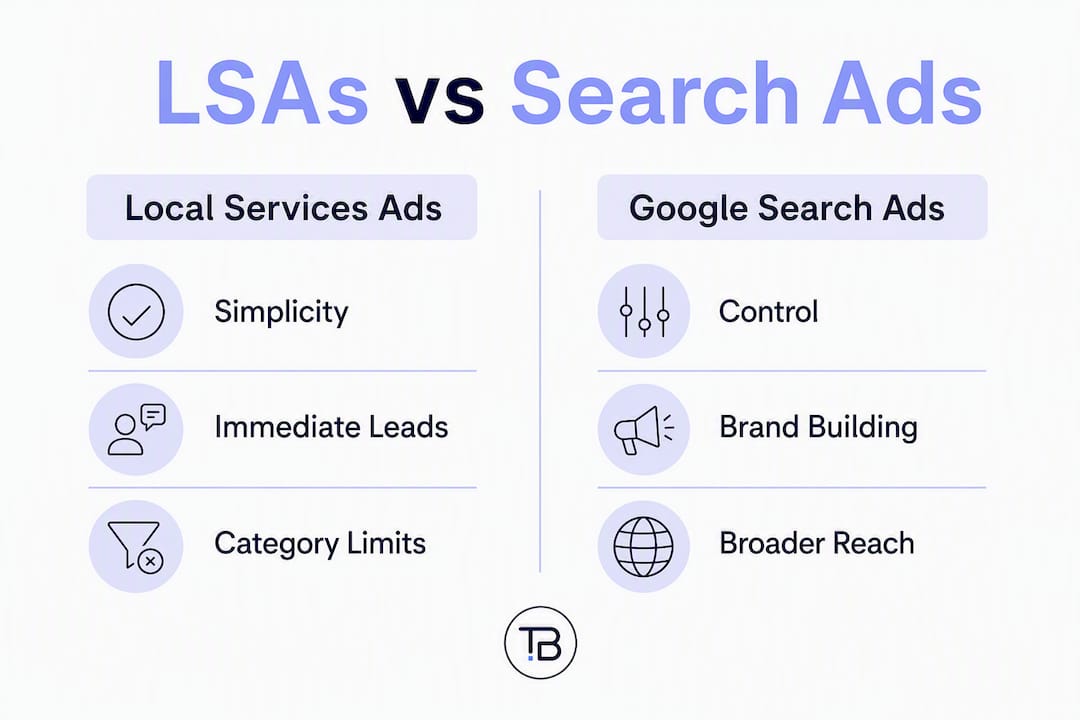
| Dimension | Local Services Ads (LSAs) | Google Search Ads |
|---|---|---|
| Payment model | Pay-per-lead (PPL) | Pay-per-click (PPC) |
| Control over targeting and creative | Low — Google controls placement | High — keywords, bids, ad copy, extensions |
| Ease of setup | Low barrier; no website required | Requires landing page and active management |
| Best for | Service businesses needing immediate leads | Businesses ready to scale and brand |
| Measurement and tracking | Lead count and cost in LSA dashboard | Full GA4 + GTM conversion data |
| Scalability and branding | Limited; badge-driven trust | High; A/B testing, remarketing, full funnel |
LSAs work best when:
- You are a plumber, electrician, cleaner, or other eligible service category in Canada
- You need leads within days, not weeks
- You do not yet have a high-converting website
Search Ads are the better fit when:
- You want to control messaging and test offers
- You are targeting customers in the research phase, not just ready-to-hire ones
- You plan to remarket to past visitors or LSA leads
Run both together when you want immediate demand capture from LSAs while Search Ads build your brand and feed a longer-term pipeline. Google confirms that combining LSAs and Search Ads maximises visibility and reaches customers at every stage, from discovery through to conversion.
Which ad type is right for your business right now?
Start by asking one question: do you have a website with a dedicated service landing page and GA4 tracking installed? If the answer is no, LSAs are your fastest path to paid leads. You can be live within a few days once your Google Business Profile is verified.

Category eligibility matters. LSAs are restricted to specific service types in Canada. If your business falls outside eligible categories, Search Ads are your only option through Google. Check the Local Services Ads eligibility list before assuming LSAs are available to you.
Response speed is an operational requirement, not a nice extra. Missed or slow responses reduce your LSA ranking directly. If your team cannot answer calls within minutes during business hours, LSA performance will suffer regardless of budget.
Budget and growth intent should guide how quickly you layer in Search Ads. Tight budget and immediate demand? Prioritise LSAs. Planning to grow, build brand recognition, or serve multiple service lines? Add Search Ads in parallel as soon as your landing page is ready.
Pro Tip: Cap your LSA spend by limiting the lead types you accept in the dashboard. This keeps early costs predictable while you test response capacity and lead quality before scaling.
Step-by-step setup for LSAs and Search Ads in Canada
LSA setup
- Claim and verify your Google Business Profile (formerly Google My Business). Accurate services, service area, and hours are mandatory.
- Submit licensing and insurance documents where required for Google Guarantee or Google Screened status.
- Collect and connect verified reviews. Review volume and rating directly affect your LSA ranking.
- Set your weekly lead budget and select only the service types you can fulfil immediately.
- Assign a team member to monitor and respond to leads within minutes during business hours.
Search Ads setup
- Build one dedicated landing page per core service. Include a phone click-to-call button and a short booking form above the fold.
- Install GA4 and Google Tag Manager. Link GA4 to your Google Ads account for conversion import.
- Set up GTM triggers for
lead_callandform_submitGA4 events. Import these as conversions in Google Ads. - Structure campaigns around local intent. Use city or postal code targeting rather than broad radius targeting. Radius targeting in Google Ads must be at least 1 km, so for hyper-local services, postal code or city targets are more reliable.
- Use call forwarding or a call-tracking provider routed into your CRM. Log the lead source (LSA vs Search) and call outcome for every contact.
Dispute invalid LSA leads promptly through the LSA portal. Keep call recordings or brief notes for each disputed lead. Refunds are available for leads that do not meet Google’s criteria, but only if you act quickly.
Pro Tip: Run a small Search Ads test budget while your LSA is live. Compare lead quality in your CRM after four weeks before committing more spend to either channel. The data will tell you which source produces paying customers, not just inquiries.
For landing page guidance, optimising your page content for conversion is as important as the ad itself. For tracking setup, the role of analytics in campaigns covers GA4 event structure in practical detail.
What budget and timeline should you expect in the first 90 days?
Budget starting points:
- LSA pilot: a prepayment of a few hundred Canadian dollars is enough to test lead volume in most service categories
- Search Ads test: low hundreds to low thousands depending on CPCs in your category and city; active monitoring is required or default automation can waste spend
Timeline milestones:
- Days 0–7: verify Google Business Profile, enable LSAs, confirm tracking is firing in GA4
- Weeks 1–4: collect first leads, calibrate response SLA, log source and outcome in CRM
- Months 1–3: run Search Ads tests, begin landing page A/B testing, review CPL weekly
- Month 3 and beyond: scale the channel producing the lowest CPL at acceptable lead quality
Early KPIs to watch:
- Cost per lead (LSA PPL rate; Search Ads CPC converted to CPL)
- Lead-to-paid-customer rate by source
- Average ticket value per converted lead
- Response time from lead to first contact
- Percentage of LSA leads disputed and refunded
Scale when CPL and lead quality hold steady over four to eight weeks and your LTV:CAC ratio supports increased spend. For a data-driven approach to spotting those signals early, identifying growth opportunities with campaign data is worth reading before you hit the scale decision.
Pitfalls and Canadian compliance notes to know before you spend
Common mistakes that waste budget:
- Ignoring LSA response times. Slow answers drop your ranking faster than a low budget does.
- Not verifying your service area precisely. Ads showing outside your actual coverage area generate leads you cannot fulfil.
- Running Search Ads without a dedicated landing page. Sending paid traffic to a homepage kills conversion rates.
- Skipping phone lead tracking. If you cannot attribute a call to a specific campaign, you cannot optimise spend.
Privacy and consent in Canada:
- Collect first-party consent before using Customer Match or remarketing lists. Document consent for lead follow-up in your CRM.
- Canadian privacy expectations under PIPEDA require that you store lead data securely and use it only for the purpose disclosed at collection.
Geo targeting constraints:
| Targeting method | Minimum requirement | Best use case |
|---|---|---|
| Radius targeting | At least 1 km | Broad local coverage |
| Postal code targeting | No minimum | Hyper-local service areas |
| City targeting | City level | Multi-neighbourhood coverage |
Compliance checklist:
- Keep current licence and insurance documents ready for LSA verification renewal
- Maintain clear booking and cancellation policies on your landing page
- Store all lead data securely and limit access to staff who need it
- Mark invalid LSA leads in the portal within the dispute window
How Tech Business Development sets this up for Canadian local businesses
Tech Business Development handles the full stack: LSA verification and management, Search Ads campaign build, landing page design, GA4 and GTM implementation, CRM integration, and automated reporting dashboards. The goal is to get you clean data and paying leads as fast as possible, then reduce your cost per acquisition over time through automation.
Quick wins clients see early:
- Faster LSA verification through a structured document submission process
- Lower invalid-lead rates from proper service area and category configuration
- Phone tracking and CRM logging set up from day one, so no lead falls through the cracks
- Landing pages built for conversion, not just presence
Longer-term outcomes:
- Reduced customer acquisition cost through automated lead routing and follow-up
- Better LTV tracking as CRM data matures and attribution becomes cleaner
- A reporting dashboard that shows CPL, conversion rate, and lead quality by channel without manual exports
Pro Tip: Ask any Google Ads manager you consider hiring to show you their conversion tracking setup before the campaign goes live. If they cannot show you GA4 events and Google Ads conversion imports working together, your data will be unreliable from the start.
Key takeaways
For Canadian local businesses, the fastest path to paid leads is LSAs now, Search Ads next, with GA4 and GTM tracking every step.
| Point | Details |
|---|---|
| Start with LSAs | Verify your Google Business Profile and enable LSAs to capture high-intent leads without a website. |
| Add Search Ads with a landing page | Build a dedicated page per service with click-to-call and a booking form before spending on Search Ads. |
| Track everything from day one | Install GA4 and GTM, set up lead_call and form_submit events, and import conversions into Google Ads. |
| Respond to leads fast | Slow LSA responses reduce your ranking; set a response SLA and assign a team member to monitor leads. |
| Tech Business Development | Offers managed setup covering LSA verification, Search Ads build, GA4 + GTM, CRM integration, and reporting. |
The case for owning your assets, not just your ads
Most local business owners I work with come in having tried one platform and felt burned. They ran LSAs for a month, got some calls, then paused the budget and lost all momentum. Or they handed Search Ads to someone who set it and forgot it, and watched spend disappear into broad-match keywords with no conversion data.
The real problem is platform dependence without owned assets. LSAs are excellent for immediate leads, but if Google changes eligibility rules or your badge lapses, your lead flow stops overnight. Search Ads give you control, but only if you own the landing page, the tracking, and the data. Businesses that combine both and build their CRM and analytics stack alongside the ads are the ones that compound results over time.
The misconception I hear most often is that more budget fixes a broken setup. It does not. Clean tracking, fast lead response, and a landing page that actually converts are what move the needle. Budget amplifies a system that works. It does not create one.
Get a managed Google Ads setup built for your local market
Spending money on ads before your tracking, landing pages, and lead routing are in place is the single most common way Canadian local businesses waste their first few months of ad budget. Tech Business Development builds the full system before the first dollar goes live.

The managed setup covers three tiers: a starter audit and LSA enablement for businesses just getting started, a growth package that adds Search Ads, a landing page build, and GA4 plus GTM implementation, and a fully managed monthly tier that includes ongoing optimisation, CRM integration, automated reporting, and lead quality reviews. Onboarding typically runs two to four weeks from first call to live campaigns.
Every engagement starts with a discovery call and audit. You leave that call knowing exactly what is broken, what to fix first, and what the setup will cost. No guesswork, no open-ended retainers. Visit the Tech Business Development services page to book your audit or get in touch directly to discuss which tier fits your business stage.
Useful sources for Canadian local businesses running Google Ads
- Local Services Ads overview (Google Support): the official setup guide covering eligibility, verification, and how your ad profile is generated
- Google Ads location targeting (Google Support): covers how to set geographic targets, including postal code and city options available in Canada
- Lead generation for local businesses (Google): explains how the Google Guarantee and Screened badges work and why verified reviews matter for LSA performance
Recommended